Booqello guide ·
Campsite bookings look simple until a bank holiday. Pitch types, hook-ups, awnings, dogs and extra people all change the price, and a busy weekend is when a diary and a phone stop keeping up. This checklist covers what a campsite booking system should handle for a small park.
Pitches and pitch types
- Pitch types: grass, hardstanding, tent and serviced pitches, each with their own price.
- Allocation: decide whether guests pick a numbered pitch or a pitch type you allocate later. Check the system supports the way you work.
- Seasonal pitches: long stays should sit on the same plan as touring, not in a separate spreadsheet.
An availability calendar guests can use
Guests want to see what is free before they ring. Check whether an availability calendar embeds into your existing website, and whether choosing dates takes the guest straight into booking with the pitch and dates filled in.
Prices that follow the calendar
Peak weekends, school holidays and quiet midweeks should price themselves. So should minimum stays: a three-night minimum over a bank holiday should be a rule the system enforces, not one you explain on the phone.
Extras that are part of the price
Electric hook-up, awnings, extra adults, children and dogs are usually charged per night. If they are added at booking and priced automatically, the quote is right first time and nothing is collected on arrival.
Deposits, balances and phone bookings
Check that the system takes a deposit online, collects the balance before arrival, and lets you enter a phone booking yourself with a payment link sent to the guest. Many campsite bookings still start on the phone.
Sync with listing sites
If you list pitches on a camping marketplace, calendar sync stops the same pitch being sold twice. Most systems use iCal, which updates on a schedule. Ask how often it runs.
The arrivals list
On the day, you need today’s arrivals and departures in order, with who has paid. That list should come from the bookings, not be written up from them.
Questions to ask on a demo
- Price a hardstanding pitch with hook-up, two adults and a dog over a bank holiday.
- Take a booking over the phone and send the guest a payment link.
- Show me tomorrow’s arrivals with what each guest still owes.
- What do I pay per pitch, and is there a percentage on bookings?
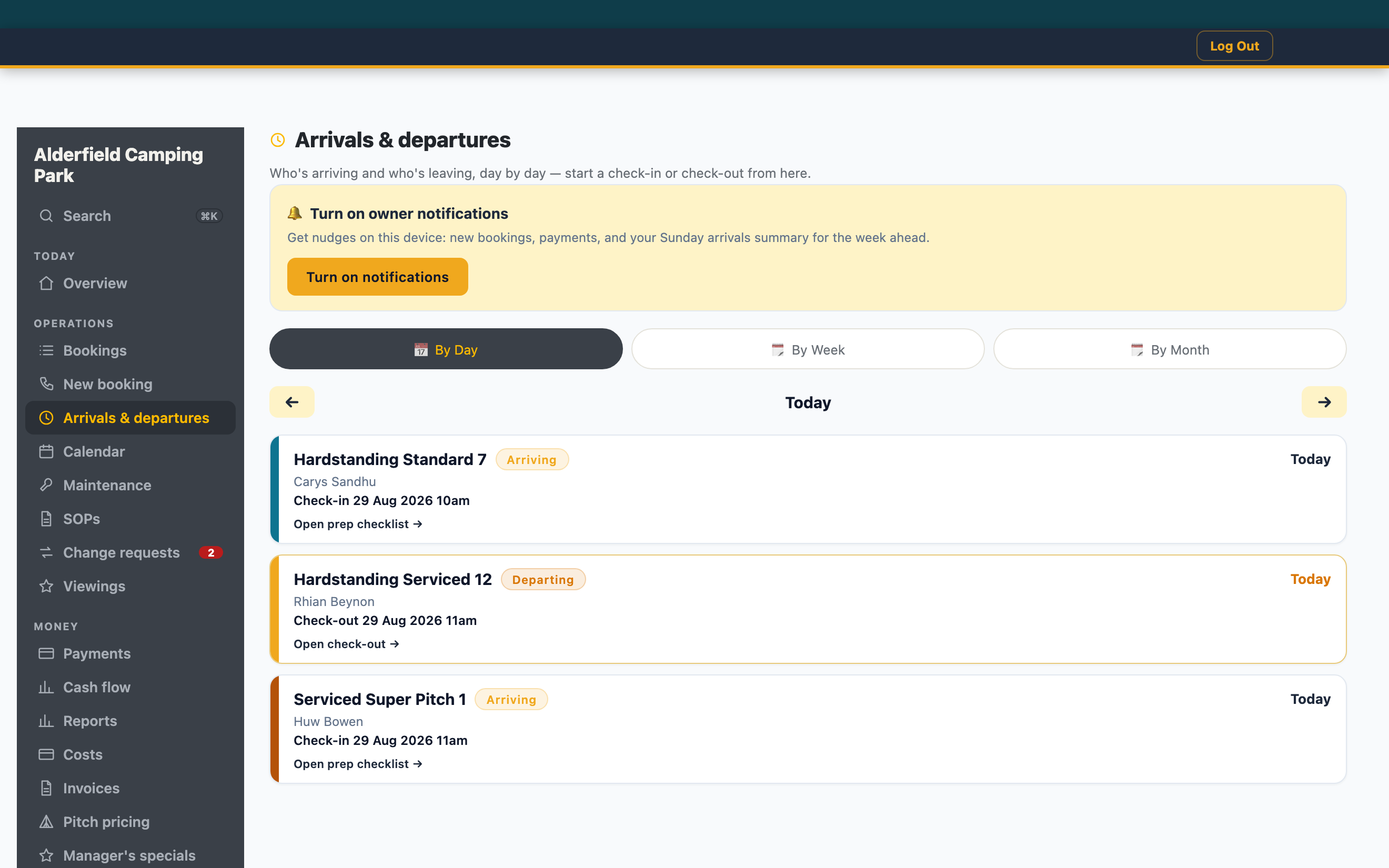
Alderfield Camping Park — today’s arrivals and departures, by pitch.
Where Booqello fits
Booqello is managed booking software for campsites, glamping sites, holiday lets and hire businesses. It handles pitch availability, seasonal pricing, per-night extras, deposits and the arrivals list, and campsites pay £1 a pitch a month above the five every plan includes, with no percentage of bookings. See Booqello for campsites →