Fill the pitches. The booking system does the paperwork.
Live pitch availability, online booking and deposits taken automatically — so a bank-holiday weekend is busy rather than overwhelming.
The bank-holiday problem.
A paper arrivals list out of date within the hour, and a booking confirmed by searching an inbox. That is the work a campsite booking system should be carrying.
Every pitch is its own bookable unit, with its own rules.
Hardstanding, grass, serviced, seasonal: each pitch has its own calendar, price and rules. Minimum nights for peak weekends, seasonal rates for the shoulder months, arrival-day restrictions where you need them. Nightly touring pitches and seasonal arrangements sit side by side in the same calendar, and guests only ever see what is genuinely available.
- Pitch-by-pitch availability calendars
- Seasonal pricing and minimum-night rules
- Arrival-day and length-of-stay controls
- Block dates for maintenance, rallies or private events
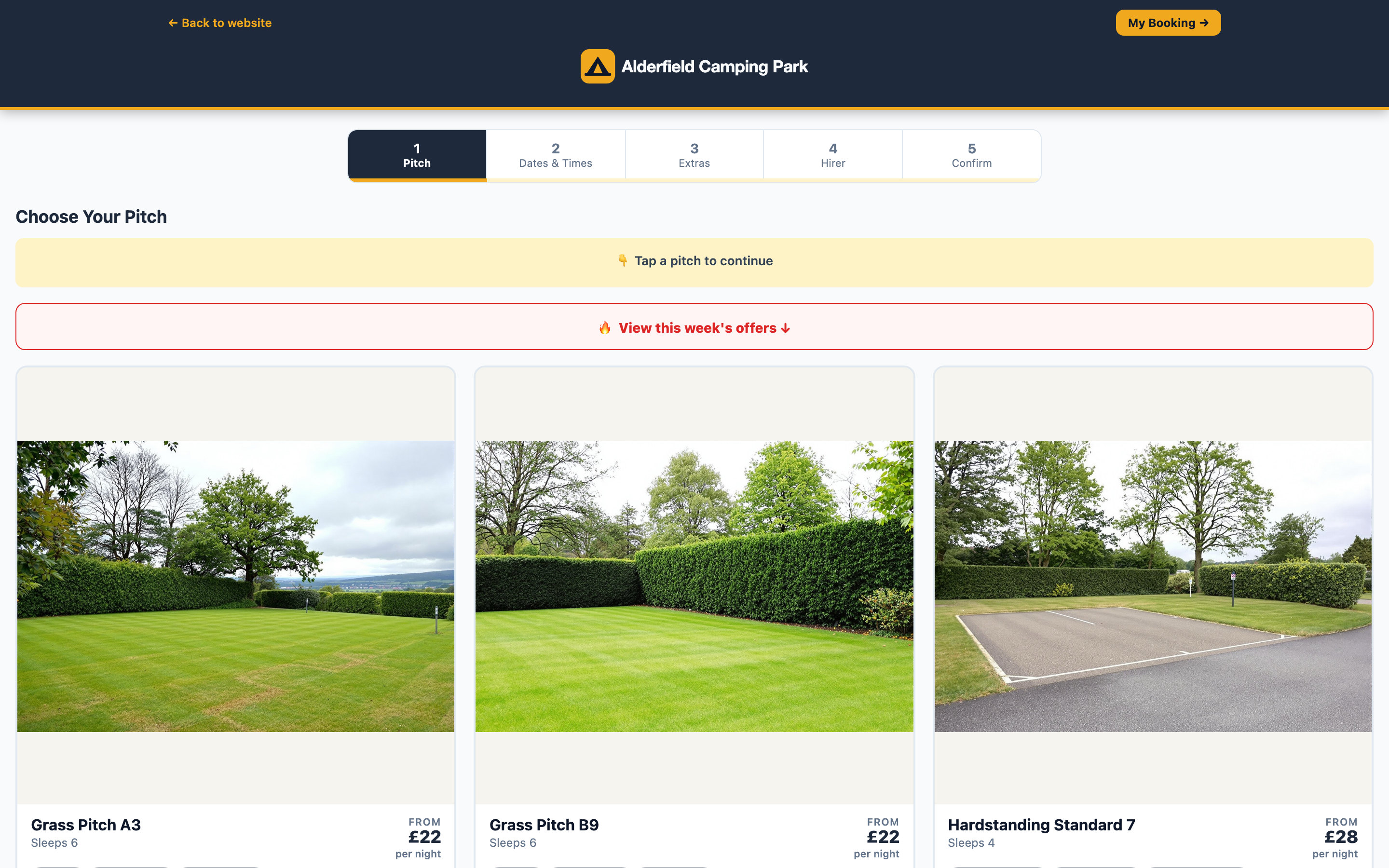
Alderfield Camping Park — the guest’s first screen. Each pitch with its own rate, its own facilities and its own calendar.
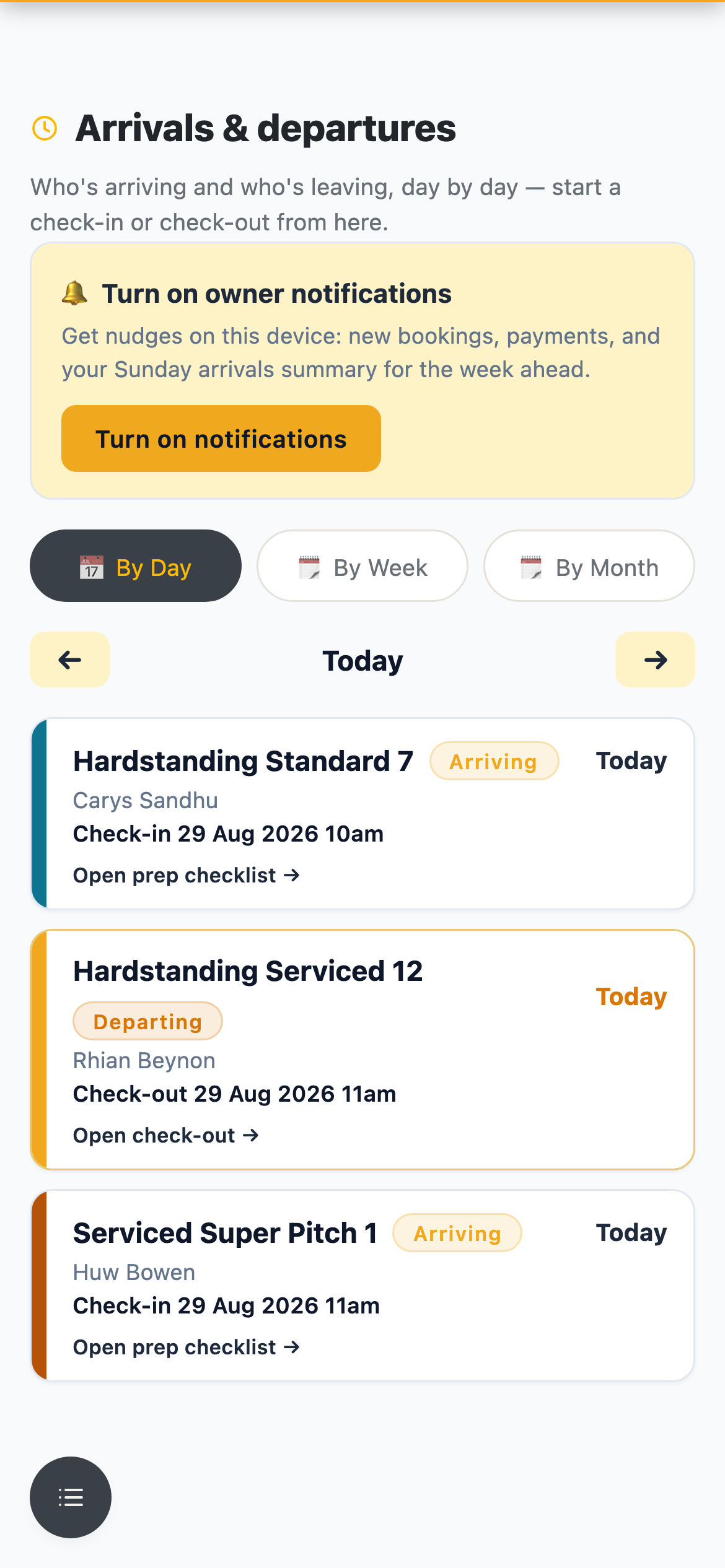
Alderfield Camping Park — arrivals and departures for the day, on the phone you walk the site with.
Today’s arrivals, on your phone.
Who is arriving, which pitch, how many nights and what is still outstanding, in arrival order and updated the moment anything changes. Walk the site with it and check guests in as they arrive.
- Arrivals and departures lists for any day
- Payment status visible before a guest reaches the barrier
- Take a booking yourself for phone and walk-in guests
- Search by name, registration or booking reference
Deposits and balances collected automatically.*
Guests pay a deposit when they book, and Booqello collects the balance automatically on your schedule. Extras are yours to define and price, added at booking or later through the portal.
* Supported in full with Opayo, Booqello’s preferred merchant payment provider — see integrations.
- Deposits at booking, balances collected automatically
- Extras you define and price, sold at booking or afterwards
- Discount codes for returning guests, clubs and quiet weeks
- Arrival instructions emailed automatically, on your own wording
A shorter reception queue
The portal answers the standing questions before anyone reaches your window.
Keep other calendars in step
If you list elsewhere, iCal sync keeps availability lined up so the same pitch isn’t sold twice on a busy weekend.
The guest side, your side, and everything sent in between.
Three screens from the same example campsite: the add-ons a touring guest buys, the calendar that stops two units landing on one pitch, and the confirmation that goes out on its own.
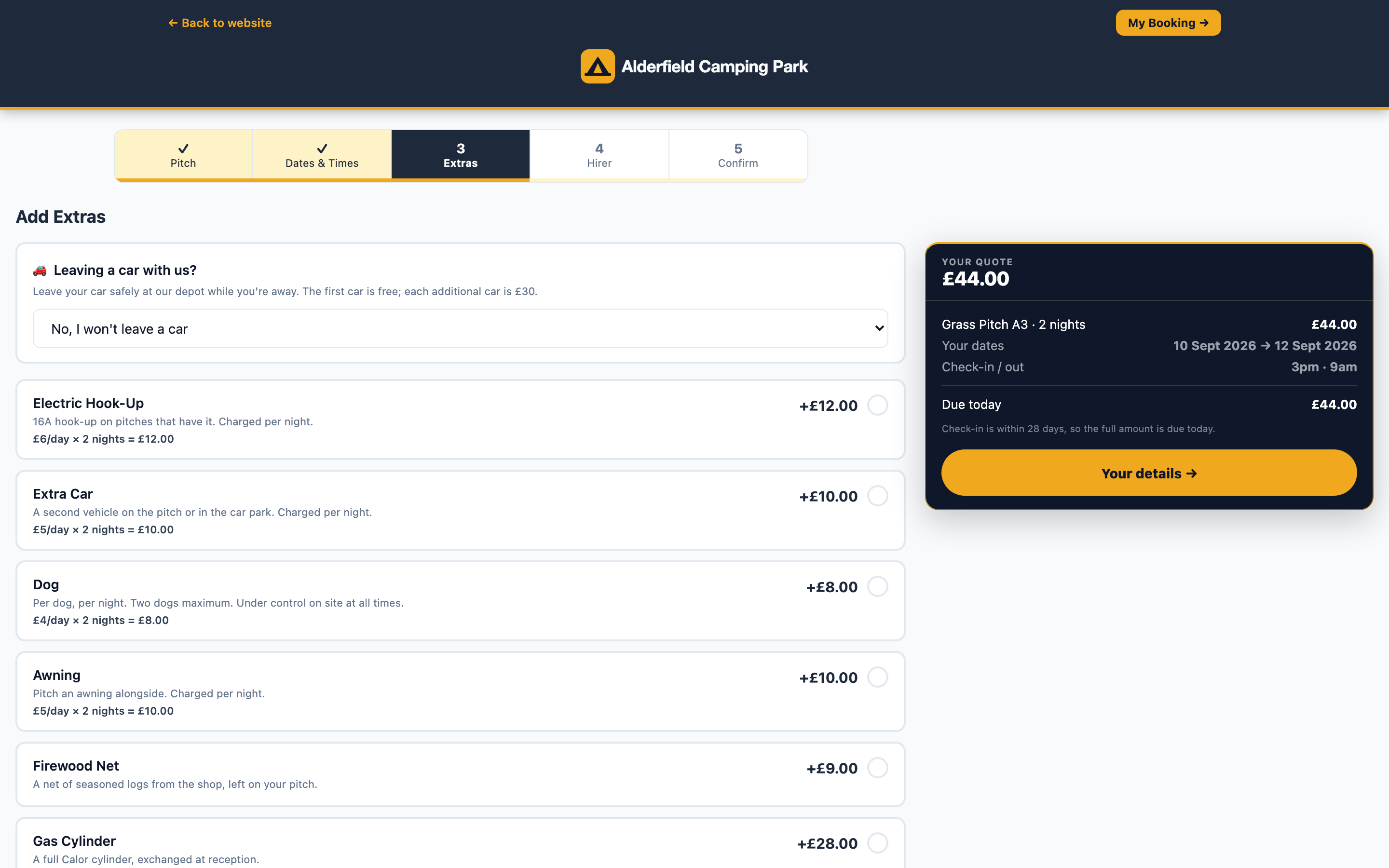
The guest adds extras. Hook-up, an extra car and a dog by the night; gas and firewood as one-offs.
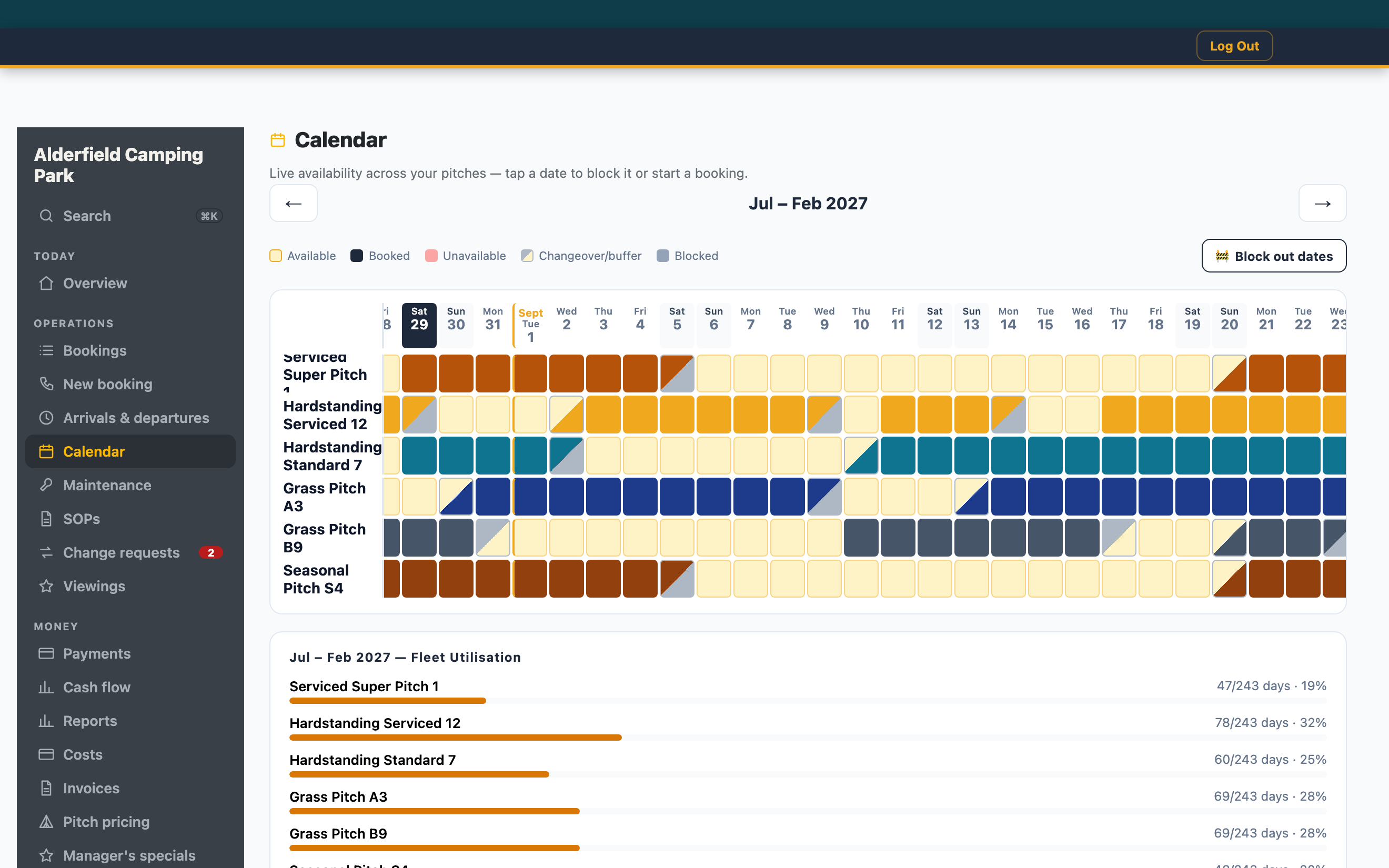
You see the whole park. Every pitch, every night, and the gaps still to sell.
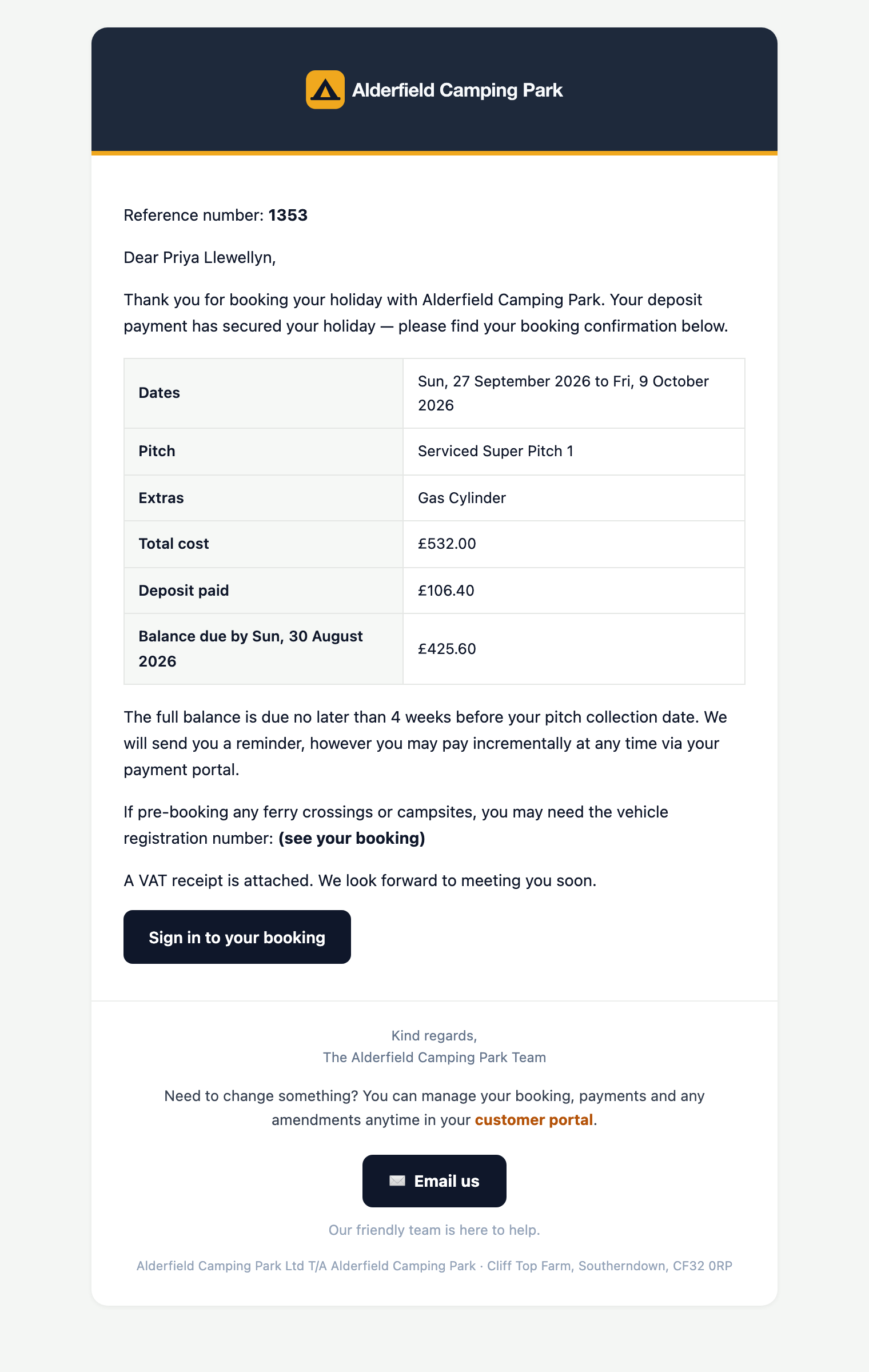
The confirmation sends itself. Your branding, your wording, the moment they book.
Every screen above is from Alderfield Camping Park — the same deployment you can try, set up for this market.
What a campsite actually pays.
Five pitches are included on every plan. Above that it is £1 a pitch a month — no percentage of your bookings, and no ceiling on how many pitches you run. Put your own number in.
Common questions from campsite and caravan park owners
Can I set different prices for peak weekends and quiet midweeks?
Yes. Seasonal rates, weekend rates and minimum-night rules are all yours to set, per pitch type if you want, and they apply automatically as guests book.
What about electric hook-up and other add-ons?
You define your own extras and what they cost. Guests add them at booking or afterwards in the portal, and they show on the arrivals list so your team knows what is expected.
Can guests see pitch availability on my own website?
Yes. An availability calendar embeds into the site you already have, showing every pitch as one grid or a single pitch by month. Picking dates opens the booking flow with the pitch and dates already filled in.
Can I still take bookings over the phone?
Yes. You create the booking in the same diary, take payment by link or card, and it behaves exactly like an online one — same emails, same portal, same reports.
We have seasonal pitches as well as touring. Does that work?
Yes — long stays and seasonal arrangements sit alongside nightly touring pitches, each with their own rules, in the same calendar.
Do you take a commission on bookings?
No per-booking fees, and no percentage of your bookings on any plan — the same pricing whether you run a campsite, a campground, a caravan park or a holiday park. Every plan includes 5 pitches, then £1 per pitch per month — so a 60-pitch site is £84 a month on Starter or £135 on Growth. There is no limit on how many pitches you run. Payments go through your own merchant account and settle straight to your bank.
Guide: Campsite booking system: a checklist for small parks →
Get your next season under control.
Book a demonstration and we will set the booking system against how your site actually operates.